


This is a post in our Mastering Dynamic Lists series. To view more posts in this series, visit the main blog page.
Understanding Last Activity Date
But before we roll up our sleeves, let’s unravel the mechanics behind the Last Activity Date in Pardot. It’s not just about isolating records; it’s about understanding the heartbeat of your engagement metrics.
In Pardot, various actions contribute to this timestamp, including email clicks, form submissions, and page views. Each time a user interacts in this way, the date is updated in the Last Activity field. Understanding this is key to identifying leads that have never been active.
It’s important to also note that there are activities that do not trigger an update. They are as follows:
- Email sends, opens, or bounces
- Opportunity created, lost, or won
- Automation rule actions
- Inclusion in Engagement Studio programs
- Prospect imports
Creating a Never-Active Prospects List
Identify leads that have never shown any interest or engagement with your content. These records may need further investigation or could be considered for archival to maintain a more focused and responsive database.
Steps to Create:
- Create a new dynamic list
- In Account Engagement: Marketing > Segmentation > Lists
- In the Lightning app: Prospects > Segmentation > Segmentation Lists
- Name the list (e.g., “Never Active Prospects”)
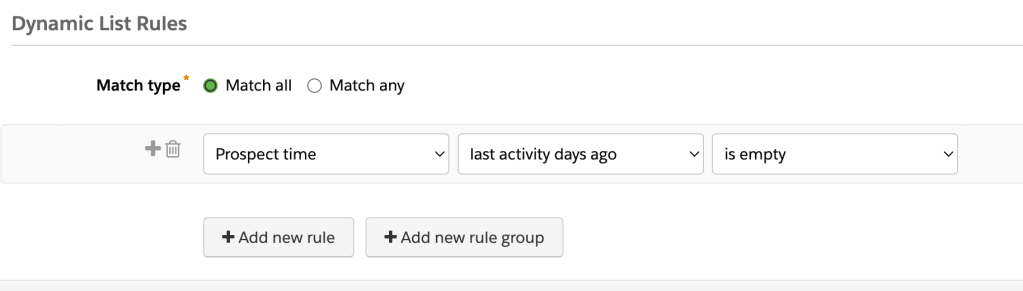
- Set up a filter as follows: Prospect time – last activity days ago – is empty
- Save your dynamic list
Variations on the base list
Crafting variations on the above list offers targeted benefits to database management. Variations like “Never Active Valid Prospects” and “Never Active or Inactive for 365 Days” enable precise categorization, facilitating more efficient resource allocation and focused communication. These nuanced lists provide a deeper understanding of prospect engagement dynamics, allowing marketers to make data-driven decisions for more impactful campaigns. The benefits lie in improved efficiency, enhanced targeting precision, and the ability to adapt outreach strategies based on insightful data.
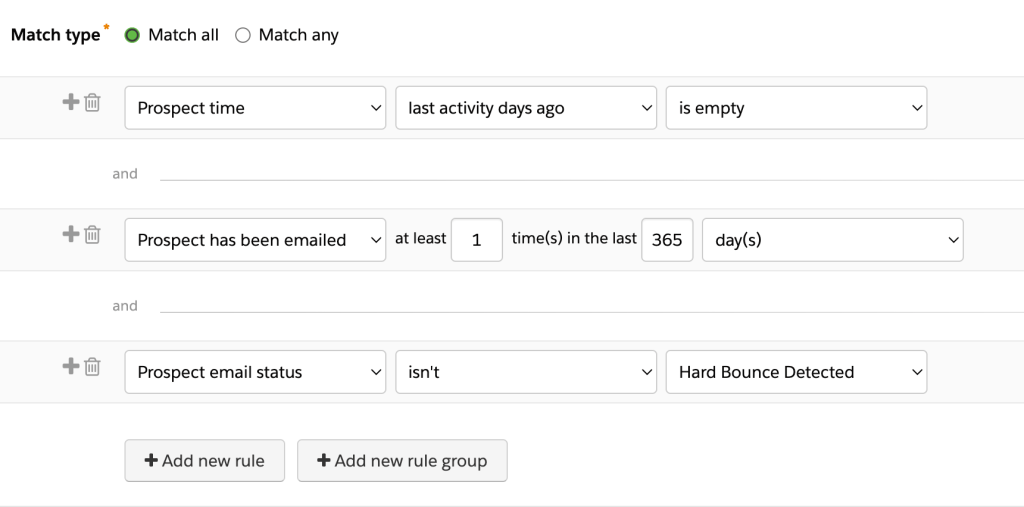
Variation 1: Never Active Valid Prospects – The idea with this variation is to identify records that have received an email and haven’t hard bounced.
To the base list above, add two additional filters:
- Filter 1: Prospect has been emailed – 1 – 365 – days
- Filter 2: Prospect email status – isn’t – Hard Bounce Detected
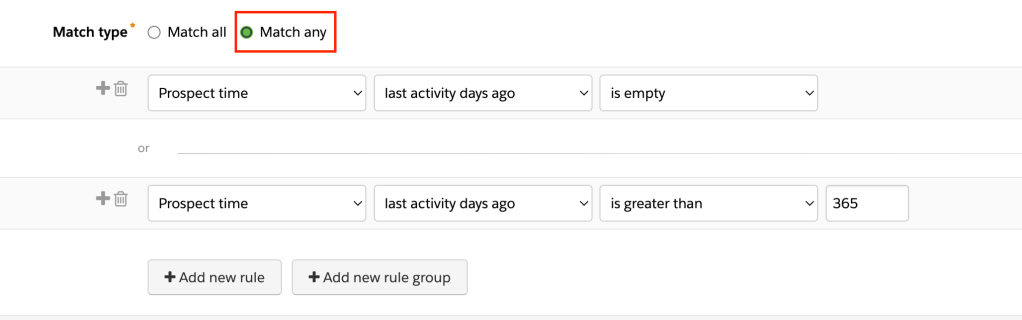
Variation 2: Never Active or Inactive for 365 Days – Instead of setting the timeframe to “is empty,” you could set it to a specific date range.
An example is a business who has used Pardot for 5 years and hasn’t cleaned up records since the beginning. Add a second filter to the list that looks like this: Prospect time – last activity – is greater than – 365. Be sure to set the Match Filters on the list to “match any”
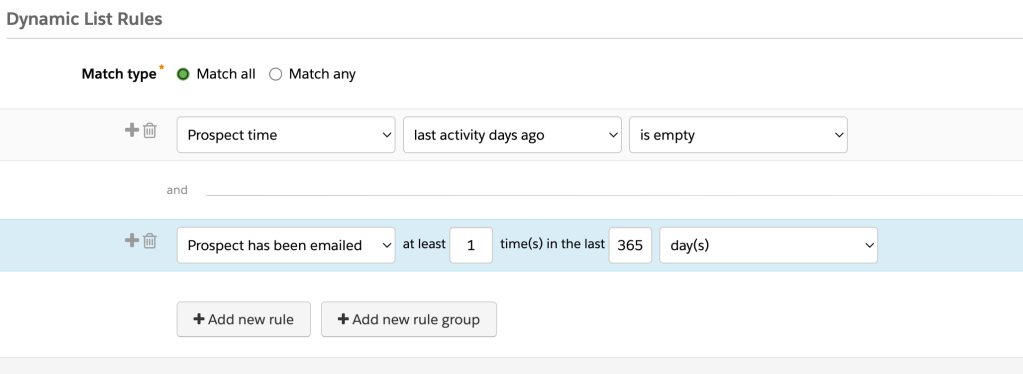
Variation 3: Emailed records that never engaged – In addition to the filters on the “Never Active Prospects” lists, add another filter for email frequency.
Prospect has been emailed – 1 – 365 – days
In wrapping up this installment of “Dynamic Lists for a Cleaner Database,” you’ve taken the first strides towards mastering Pardot database management.
We’ve navigated the intricacies of dynamic list creation, optimization, and utilization, setting the stage for a strategic database that powers impactful marketing campaigns. Now armed with insights into Last Activity Date and a shiny new “Never Active Prospects” list, you’re on the path to a more streamlined and responsive database.
But this is just the beginning – the journey continues as you refine your database, focusing on the leads that truly matter. Remember, it’s not just about cleaning up; it’s about crafting a database that aligns seamlessly with your goals.
Here’s to a database primed for engagement and a future teeming with meaningful interactions. Get ready for the next chapter in our dynamic series!
Banner image by JESHOOTS.COM on Unsplash
 Syncify